Urgent PowerPoint Design in 24 Hours for University or Work
Urgent PowerPoint design within 24 hours for university or work, with clear structure, polished slides, accurate content, and presentation-ready delivery.
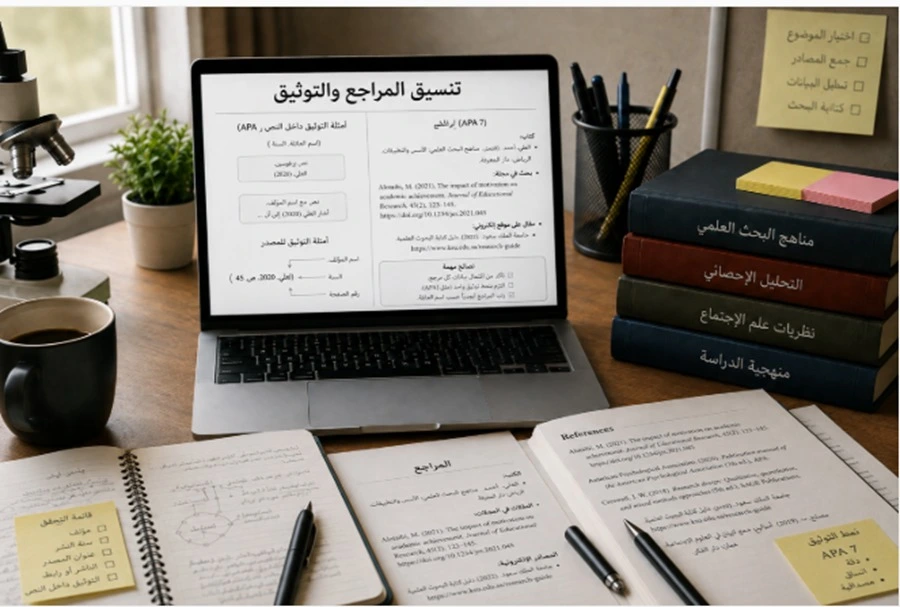
An urgent PowerPoint design delivered within 24 hours for university or work requires a completely different approach from a normal presentation project because the challenge is not design alone. It is also about managing time, making fast decisions, and protecting the quality of the essential content under pressure. A successful urgent presentation begins by identifying the actual deadline, expected slide count, condition of the source content, and whether the task involves formatting an existing file or building the presentation from a report or several separate files. The structure should then be approved early so valuable hours are not lost on major changes shortly before delivery. A university presentation has different priorities from an urgent business meeting deck, but both follow the same principle: clarify the content, prioritize what matters, design the slides, review numbers and wording, and prepare a stable version that can be presented without unexpected technical problems.
Urgent PowerPoint Design in Saudi Arabia
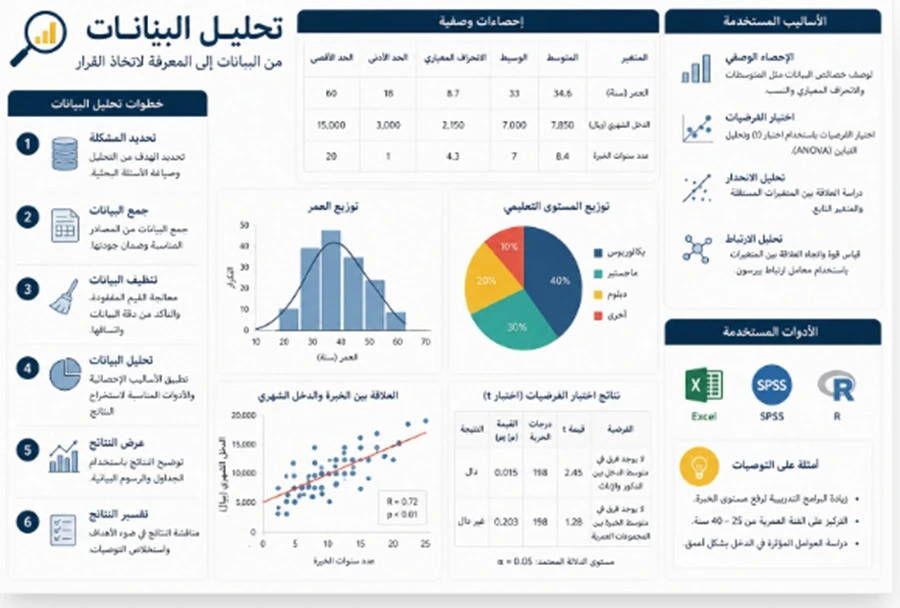
Urgent PowerPoint design in Saudi Arabia needs a more precise initial assessment than a normal presentation because the word “urgent” does not explain the size of the assignment. One client may already have fifteen complete slides that only need visual redesign before a meeting tomorrow. Another may be a student with an eighty-page research report who needs the content extracted, summarized, redesigned, converted into charts, and reviewed within the same period. These two situations should not receive the same plan or the same delivery promise.
The first step is determining the actual amount of time available. If the presentation is scheduled for ten o’clock tomorrow morning, that does not mean there are twenty-four full working hours. Time must be reserved for the client to review the file, request corrections, and receive the final version. A well-managed urgent project therefore sets an internal completion deadline earlier than the real presentation deadline so there is still room for correction.
The next step is separating requirements into essential, important, and optional elements. Essential elements include the main content, titles, figures, presentation identity, results, and the decision or message the presentation needs to communicate. Important elements may include additional charts and visual improvements. Decorative effects and complicated animations should remain the lowest priority.
For urgent presentations in particular, it is usually better not to explore five different visual directions. Selecting one visual system quickly and applying it consistently leaves more time for content review. A designer who spends half the day testing colors may end up with insufficient time to check the actual information.
If the presentation is for a Saudi company, the audience should be identified immediately. Is it for senior management, a client, a performance review, a proposal, or a sales meeting? Each audience requires a different structure. If it is for university, the designer needs to know whether it is a course assignment, graduation project, research presentation, or defense and how long the student will present.
Another major problem is continuous content changes during production. If the client sends a new version of the data every hour, design speed alone will not protect the deadline. It is better to establish one clear source version and record any later changes in an organized way.
-
An urgent project should begin by confirming the real final deadline and then setting an earlier internal deadline that leaves time for review instead of consuming the entire period on first-draft design
-
Essential content results and numbers should receive priority before visual effects because an incorrect figure can cause more damage than a slide with a simpler design
-
Freezing the content version early reduces repeated rework on the same slides and increases the chance of reaching a stable final presentation before the deadline
PowerPoint Within 24 Hours
Creating a PowerPoint within 24 hours is realistic in many situations, but it is not a promise that should be applied to every file without reviewing the actual scope. The real factor is not the number of hours written in the request. It is the volume and condition of the content, number of slides, design level, and amount of information that needs to be rebuilt.
If the content is already organized and the project needs around twenty slides, the workflow can be relatively fast. The structure is defined first, then a visual system is selected, the slides are produced, and finally the presentation is reviewed. If the content is scattered across a Word document, Excel spreadsheets, messages, images, and screenshots, a significant part of the available time will be spent collecting and organizing the material before the design phase even begins.
For this reason, one of the strongest ways to manage twenty-four hours is to divide the project into short phases. The first phase collects files and confirms the audience and objective. The second phase builds the structure. The third phase produces an initial group of slides to confirm the visual direction. The rest of the presentation is then completed, followed by text and figure review and a final technical check.
A clear point should also be established after which major structural changes are avoided. Once the project reaches the review stage, completely reorganizing the presentation should only happen if a serious problem has been discovered. Very late major changes create new risks and can introduce fresh errors.
For university projects, reducing scope can sometimes protect quality. If the source report is extremely long and time is limited, the presentation can focus on what the audience actually needs and move supporting details into the report or backup slides. For business presentations, the deck can focus on the decision and information needed for the meeting rather than attempting to reproduce every operational detail.
Delivery within twenty-four hours should never mean eliminating review completely. At minimum, personal names, organization names, numbers, headings, slide order, and font readability should be checked. One incorrect customer name or financial figure can create more serious consequences than leaving one decorative improvement unfinished.
-
Whether a presentation can be delivered within twenty-four hours should be decided after reviewing the actual content because ten slides requiring rewriting can involve more work than thirty fully prepared slides
-
Dividing the project into structure design and review reduces confusion and prevents the team from jumping between content colors and numbers at the same time
-
When time becomes limited secondary elements should be reduced before essential review is removed because a visually attractive presentation containing incorrect figures is not a successful urgent delivery
Fast Presentation Design
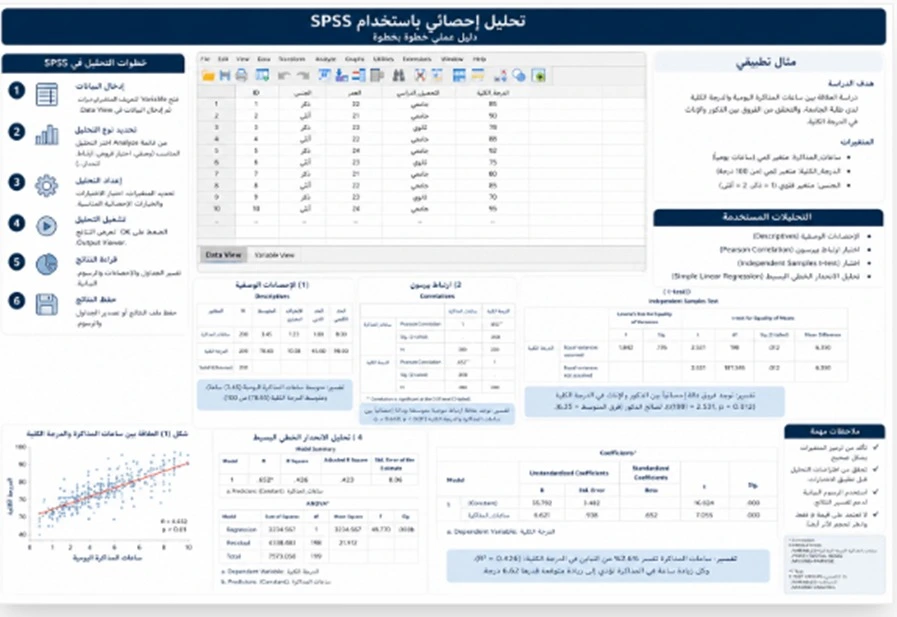
Fast presentation design depends on shortening the decision-making process before shortening the design process itself. One of the biggest causes of delay in urgent projects is indecision: should the presentation use a dark or light template? Should one section contain three slides or five? Should a table be converted into a chart or remain as a table? These decisions need to be resolved early according to the presentation objective.
The process should begin with one question: what should the viewer understand, decide, or do after seeing the presentation? If the presentation is for management, the objective may be a decision. If it is a sales deck, the objective may be understanding the service value. If it is academic, the objective may be evaluating a project or understanding a research study. This answer determines the structure.
A limited visual system should then be used. A clear typeface, consistent heading style, limited colors, and a small number of slide types such as title, content, result, comparison, and conclusion can accelerate production without making the presentation look repetitive or random.
The content itself also needs intelligent compression. Not every sentence from the source belongs on the screen. The designer identifies the main message and then selects the evidence supporting it. For numerical content, it is important to decide which figure deserves emphasis and which details can be moved to a note or compact table.
Images and icons can be used where they communicate the idea more quickly. Spending thirty minutes looking for the perfect decorative image for one slide is not an efficient decision in an urgent project.
Before delivery, the presentation should go through two different review passes. The first checks the content: is the sequence clear and are the figures correct? The second checks the visual system: are alignment, typography, spacing, and consistency correct? Separating these review types is often faster than trying to inspect everything at once.
-
Real design speed comes from reducing the number of open decisions early rather than producing many slides before the presentation objective has been defined
-
A limited visual system allows faster production while maintaining a more professional appearance than treating every slide as an independent design project
-
Review should be separated into content review and visual review so important errors are not missed while the reviewer is switching constantly between colors and numbers
Urgent University Presentation
An urgent university presentation needs to protect the academic content before anything else because a student working under deadline pressure may become so focused on appearance that they forget the grade usually depends on understanding the topic, presenting it correctly, and answering questions.
If the presentation is for a course assignment, the first step is checking the actual requirements. Did the instructor request a definition, analysis, examples, references, or comparison? If the presentation is for a graduation project, more emphasis should be placed on the problem, objectives, implementation, and results. If it is a research presentation or defense, methodology and figures need to remain accurate and should not be simplified in a way that changes the meaning.
A student who sends a full research report one day before the deadline should identify the final version or sections if several drafts exist. Designing from an outdated version and later discovering that the findings have changed can waste time that cannot easily be recovered.
An urgent university deck does not need dozens of animations and effects. Readable typography, clear tables, and well-selected images are more important. The university name, college, course, supervisor, and team member names should also be checked carefully.
If references are used, important citations should remain visible where required instead of being removed completely simply to save space. Visual summarization should not remove the academic foundation of the work.
-
An urgent university presentation should begin with the assignment or defense requirements because attractive design cannot compensate for omitting an element specifically required by the instructor or department
-
The final research or project version should be confirmed before production so outdated figures or results do not appear in the presentation
-
Limited time makes visual simplicity even more valuable because attention should remain on the student’s understanding organization and readability rather than unnecessary effects
PowerPoint for Work with Fast Delivery
A PowerPoint for work with fast delivery differs from a university presentation because the audience usually expects a decision, update, recommendation, or proposal. A manager does not need every detail of the project background if the meeting lasts only ten minutes. The manager needs to understand the current situation, problem, figures, options, and recommendation.
For this reason, a business presentation should be organized around the executive message. After the cover, it may begin immediately with the conclusion or key takeaway instead of a long introduction. Supporting evidence and numbers can follow, then the recommendation or requested action.
If the presentation is for a client, the structure should focus on the client’s problem, proposed value, and next steps. If it is a performance report, the deck should focus on indicators, changes, reasons, and actions. A fast business presentation succeeds when it is designed around the actual purpose of the meeting.
Numerical accuracy becomes especially important in corporate presentations. One financial figure, percentage, or date can matter more than the appearance of ten entire slides.
-
An urgent work presentation should be built around the meeting decision or objective rather than copying the entire operational report onto slides
-
Numbers and executive charts should be checked against their original sources because one incorrect figure can change management’s understanding of the situation
-
The main conclusion can appear early when the audience is executive so participants understand from the beginning what message needs discussion
Same-Day Slide Design
Same-day slide design requires tighter scope control than a twenty-four-hour project. If the work begins in the morning and must be delivered in the evening, every hour matters.
The first decision is whether the project involves formatting, redesign, or content development. Simple formatting is usually faster. Redesign requires additional work. Turning a long report into a complete presentation on the same day may require reducing the slide count and fixing priorities from the beginning.
A useful approach is to produce the first three or four slides and confirm the direction quickly instead of finishing the entire deck and then discovering that the client expected a completely different style. Once the direction is approved, the system can be applied to the remaining slides.
Available resources should also be used intelligently. If the company already has a visual identity or previous presentations, those materials can save time rather than creating a new system unnecessarily. If a university provides an official template, using it immediately can simplify the process.
-
Approving a small group of sample slides early in the day reduces the risk of redesigning the entire presentation only a few hours before the deadline
-
Existing templates and brand identities should be used when suitable because they can save time without reducing presentation consistency
-
Same-day projects need a stable scope because major late changes threaten both the deadline and the quality of the final presentation
Urgent Presentation Design Service
An urgent presentation design service works best when expectations are clear from the first message. The client needs to know what must be supplied and the designer needs to understand what is actually required.
The most important files include final content, company logo or brand identity, important images or data, any required template, and the actual presentation deadline. If an older PowerPoint version exists, it should also be provided because it can sometimes save significant time.
The number of review rounds available within the deadline should also be defined. An urgent project cannot realistically support ten separate cycles of changes. It is usually more efficient for the client to collect feedback and send one consolidated list rather than sending individual comments throughout the day.
Urgency may affect pricing for some providers because the project may require priority scheduling or additional resources. However, no fixed urgent-delivery surcharge should be assumed without a clear quotation because the impact depends on the size of the project and the available time.
-
All required files should be collected at the beginning because searching for a logo or updated document during the final hour consumes valuable review time
-
Feedback should be consolidated wherever possible so it can be implemented in one organized revision round rather than reopening the same slides repeatedly
-
The cost of urgent work depends on scope available time and provider policy and there is no single fixed surcharge suitable for every project
Formatting PowerPoint Before the Deadline
Formatting PowerPoint before the deadline is often the best option when the content is already prepared but the file looks inconsistent. In this situation, the project does not need complete rewriting. It mainly needs rapid visual cleanup.
The first steps are standardizing fonts, headings, colors, spacing, and alignment. Images and tables are then adjusted and crowded slides can be divided where time allows.
Large content changes should normally be avoided at the formatting stage unless there is a clear error. If only two hours remain before the meeting, it is usually not the right moment to rebuild the entire presentation story simply for a minor improvement.
After formatting, a backup version should be created and the presentation should ideally be tested on the device that will be used for delivery where possible.
-
Urgent formatting should focus on consistency and readability rather than rebuilding the content completely because the objective is improving an existing file before the deadline
-
Major changes should be avoided close to delivery unless they are necessary to correct an error or make the presentation understandable
-
The final version should be saved in a way that reduces font and formatting problems and reopened once more before the presentation to confirm that everything works correctly
Fast Presentation for a Work Meeting

A fast presentation for a work meeting should begin by identifying the question the meeting needs to answer. Without a clear question, the presentation can easily turn into a long information update without any decision.
The key question might be: should the budget be approved? Should the supplier be selected? Should the campaign launch? Should the plan change? Every slide should then provide information that helps answer that question.
A useful executive structure can move from the current situation to the problem or opportunity, then data, options, recommendation, and next action. Not every meeting needs exactly the same sequence, but the principle is that the presentation should lead toward a decision.
An effective executive slide can also use a headline that states the conclusion rather than a generic topic label. Instead of simply writing “Sales,” the slide might say “Sales exceeded the target in the third quarter” if the data supports that conclusion.
-
A fast meeting presentation should be built around the decision question so limited time is not consumed by information that management does not need
-
The slide title can communicate the main conclusion rather than only naming the topic so executives understand the message faster
-
The final slide should state the required next action clearly whether that action is approval selection execution or follow-up after the meeting
Urgent PowerPoint Preparation for University
Urgent PowerPoint preparation for university depends on prioritizing the tasks that protect the student from the most damaging mistakes before submission. The first priority is compliance with the assignment requirements. The second is content accuracy. The third is slide clarity. Visual refinement comes after those essentials.
If there are instructions from the instructor, department, or college, they should be checked first. The number of slides, title-page elements, or required sequence may already be defined. The content can then be summarized according to the allocated presentation time.
Headings, references, names, and figures should all be reviewed. In group projects, student names should be complete and every member should know which section they will present.
The last step is rehearsal, even if it happens only once. A presentation produced quickly can contain transitions or dense slides that the student does not notice until speaking aloud. One realistic timed rehearsal can reveal these issues before the actual presentation.
-
University or instructor requirements should be checked before focusing on design because omitting a required element can matter more than any visual improvement
-
Final review should include student names the presentation title key figures and essential references so last-minute errors do not enter the submitted version
-
Rehearsing the presentation at least once can expose timing transition and density problems that are difficult to detect while designing the slides
Conclusion
An urgent PowerPoint design within 24 hours for university or work succeeds when it is treated as a time-managed project rather than simply an attempt to design as fast as possible.
The first decision is to define the true scope. Is the content ready? How many slides are required? What is the actual deadline? Does the project involve summarization, charts, or writing? Once those questions are answered, the structure can be fixed, a simple visual system can be selected, and the slides can be produced according to priority.
For university presentations, accurate content and compliance with the assignment should come before decorative effects. For business presentations, clarity of the decision, figures, and recommendation should come before excessive detail.
Most importantly, a twenty-four-hour promise should never become an unrealistic promise for every project. Sometimes the best solution is to reduce the presentation scope or slide count so the final file remains usable instead of delivering a large presentation filled with errors.
Professional speed does not mean eliminating every quality-control step. It means knowing which decision must be made now, which detail can be removed, and which piece of information should never be delivered without review.
Frequently Asked Questions
Can a complete PowerPoint be designed within 24 hours?
Yes in many projects, but feasibility depends on the number of slides, condition of the content, required design level, and amount of revision.
Can every presentation be delivered within 24 hours?
No. Large projects or presentations requiring extensive writing, analysis, and complex visuals may need more time or a reduced scope.
What information is needed before starting an urgent presentation?
The approximate slide count, deadline, target audience, final content, brand identity or required template, and any mandatory instructions should be provided.
Does the content need to be completely ready?
Not necessarily, but the more organized and final the content is, the more realistic fast delivery becomes without sacrificing quality.
Can a long report be converted into a presentation in one day?
It can be possible depending on the report length and required number of slides, but summarization adds a separate stage of work before design.
What is the difference between urgent formatting and urgent design?
Formatting improves an existing file, while full design may involve rebuilding the structure, reorganizing content, and creating new graphics.
Which one is faster?
Formatting is usually faster when the content and slide order are already prepared.
Can a university presentation be designed on the same day?
It can be possible when the scope is appropriate and the content is clear, especially if the instructions and files are sent at the beginning.
Can a work-meeting presentation be designed on the same day?
Yes in many situations, particularly when the data and central message are already prepared.
How should the slide count be determined in an urgent project?
It should be based on the presentation time and essential content rather than trying to include every available piece of information.
Is an urgent presentation automatically lower in quality?
Not necessarily. Quality can remain strong when the scope is realistic, files are ready, and decisions are made quickly.
What causes the most delays in urgent presentation projects?
Frequent content changes, unclear requirements, delayed feedback, and too many competing visual directions are common causes.
Is it better to use a ready-made template for urgent projects?
It can help when the template genuinely suits the content and visual identity, but it should not be forced onto a presentation that needs a different structure.
Can the company brand identity be used?
Yes. Having a brand guide or previous presentation can significantly speed up production.
Should the logo be provided in a high-quality format?
Preferably yes because it saves time and helps preserve professional visual quality.
Are images important in an urgent presentation?
Only where they help explain the information, product, process, or idea. Significant time should not be spent searching for purely decorative images.
Can charts be designed quickly?
Yes if the source data is clear, but the numbers must be reviewed before they are converted into visual form.
Can tables be redesigned?
Yes, but large or non-editable tables may require additional production time.
Does urgent delivery increase the design price?
It can for some providers because the project may receive scheduling priority or require additional resources, but the exact price depends on the project.
Is there one fixed price for 24-hour delivery?
No. Project size and required design level vary significantly.
Should revisions be included within the 24-hour period?
Yes. Revision time should be planned from the beginning instead of leaving all changes to the final hour.
How many revision rounds are suitable for an urgent project?
That depends on the scope, but limited rounds and consolidated feedback help protect the deadline.
Should feedback be sent one comment at a time?
It is usually better to combine feedback into one clear list so changes can be implemented efficiently.
Can the content be changed after design has started?
Yes, but major changes may affect the delivery time, particularly if they change the presentation structure.
When should the content be frozen?
As early as possible after the basic structure is approved.
Should a business presentation begin with a long introduction?
Usually not when the audience is executive and needs to reach the information or decision quickly.
What is the most important part of an urgent meeting presentation?
The current situation, key data, recommendation, and decision or action required from the audience.
Does every corporate presentation need many charts?
No. Charts should only be used where they explain data more quickly than text or tables.
What is the most important element in an urgent university presentation?
Meeting the requirements, presenting accurate information, organizing the idea clearly, and ensuring the student can explain it.
Should all research content appear in the university presentation?
No. Only the material needed for the audience to understand the topic, project, or study should be selected.
Should references still be included?
For academic presentations using external sources, appropriate citations should remain according to the assignment requirements.
Can text be copied from the research report directly?
It is usually better to summarize it for presentation rather than using long paragraphs that require word-for-word reading.
What should I do if there are too many slides and not enough time?
Remove repetition, combine related information, and keep only what directly supports the presentation objective.
Are animations and transitions important in an urgent presentation?
They are not a priority. Simplicity and technical stability are usually more valuable under time pressure.
Can a presentation still look professional without images?
Yes. A presentation can be professional using clear text, data, hierarchy, and structure without relying on images.
Should the presentation be reviewed after design?
Yes. Figures, names, headings, and slide order should be reviewed before final delivery.
What is the best way to review an urgent file?
Perform one content review and then a separate visual review rather than attempting to inspect everything at the same time.
Do I need a backup copy?
It is highly recommended, particularly for university presentations or important business meetings.
What should I do if the fonts change on the presentation computer?
Use reliable fonts, test the file on another device, and prepare a stable backup version if needed.
Is rehearsal important when time is limited?
Yes. Even one timed rehearsal can reveal major problems before the presentation.
How do I know whether the project is suitable for same-day delivery?
Same-day delivery is more realistic when the content is nearly final, the slide count is manageable, and the amount of rewriting is limited.
When should I request 24-hour delivery instead of same-day delivery?
If the presentation requires more summarization, data visualization, or review, having a full overnight window usually provides more room for quality control.
When is reducing the presentation scope the better choice?
When the content volume is larger than the available time and an organized shorter presentation is safer than attempting to design everything at a weak quality level.
How do I choose an urgent presentation design service?
Choose a service that first asks about the deadline, content, audience, and scope and clearly explains what can realistically be completed rather than making a general promise before reviewing the files.
What should I send at the beginning to avoid wasting time?
Send the final content, actual deadline, expected slide count, brand identity or logo, university or company instructions, and any essential data or images together in one organized message.
Need Help?
Contact us directly via WhatsApp and we will reply as soon as possible.
More Articles
Turning Scientific Research into a Concise Defense PowerPoint
Scientific research into a concise defense PowerPoint with clear structure, methodology, results, conclusions, and polished academic presentation slides.
Read Article → Statistical AnalysisPowerPoint Design Prices in Saudi Arabia by Slide Count
PowerPoint design prices in Saudi Arabia by slide count, with key cost factors, custom design options, and clear guidance to choose the right service.
Read Article → University ResearchGraduation Project PowerPoint Design with Content and Results
Graduation project PowerPoint design with organized content, clear results, objectives, implementation, and polished academic flow for university review.
Read Article →